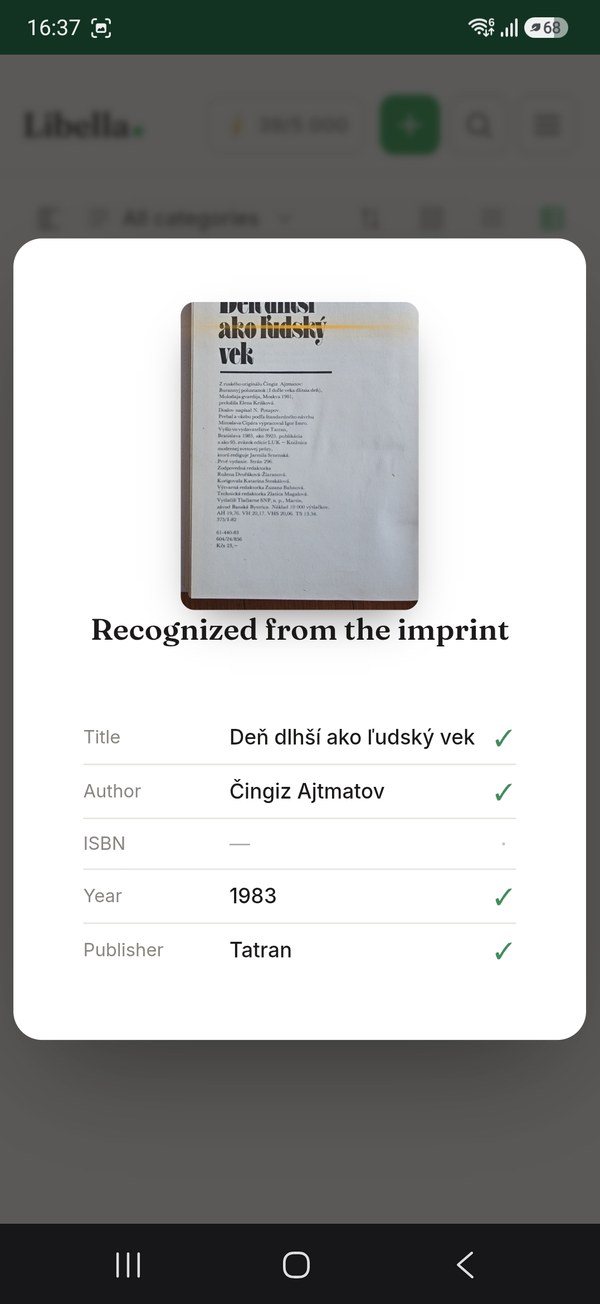
Scan the barcode, get the book: that is how most cataloguing apps work, and it is great for anything bought in the last few decades. But the International Standard Book Number was introduced in 1970, and plenty of publishers, especially outside the English-speaking world, did not print it on their books until the 1980s. Inherited libraries, second-hand finds and collectible editions are full of books that simply have no number to scan.
Why most apps can't find old books
Popular book apps rely on retail and community databases. Those databases are built from what is sold today, so they are strong on current bestsellers and weak on anything out of print, and weaker still on non-English editions. Search for a 1960s German or Spanish edition and you will usually find a modern reprint at best, with the wrong publisher, year and page count.
The records that do exist for old books live somewhere else: in national library catalogues. Most countries have a legal deposit law requiring publishers to send a copy of everything they print to the national library, which catalogues it. That makes national libraries the most complete record of what was actually published, edition by edition, decades before ISBNs existed.
Step 1: Read the copyright page, not the cover
The copyright page (also called the imprint or colophon) is usually on the back of the title page, or at the very end of older European books. It tells you what the cover does not:
- the exact publisher and place of publication,
- the year and often the edition or printing number,
- the translator, for translated books,
- sometimes the print run and the printer.
With title, author, publisher and year you can pin down an edition precisely, which is exactly what a catalogue needs.
Step 2: Search the right catalogue
Search the national library of the country where the book was published. For English-language books that means the Library of Congress or the British Library; for German books, the Deutsche Nationalbibliothek; for French, the BnF; for Spanish, the Biblioteca Nacional de España. WorldCat, which combines thousands of libraries, is another good general source.
Step 3: Record the edition, not just the work
For old books the edition is what matters: a first edition, a specific translation, a particular publisher's series. Record at least publisher, year and place. If the book is valuable or fragile, add a note about its condition. It helps with insurance, with selling, and with deciding what to keep.
Doing it without the manual work
Searching several library catalogues by hand for every book gets tedious fast. Libella does it for you: photograph the copyright page and it reads the details, then looks the book up in national library catalogues across Europe and the US: the Library of Congress, the Deutsche Nationalbibliothek, the BnF, the Biblioteca Nacional de España, the Italian, Scandinavian and Polish national catalogues and more. The result comes back with the right publisher, year and page count, and a cover where one exists.
For shelves full of old books you can also photograph the whole shelf: Libella reads the spines and adds everything it recognises. You fix the few it can't read.
Frequently asked questions
My book has a number that isn't an ISBN. What is it?
Older books sometimes carry a Standard Book Number (SBN, 9 digits, UK 1966–1974), a publisher's catalogue number or a price code. An SBN can be turned into an ISBN by adding a 0 at the front.
What if the national library doesn't have it either?
Then catalogue it by hand from the copyright page. That is rare for anything commercially published, but common for privately printed books, pamphlets and local publications.
Does photographing the copyright page cost anything in Libella?
It is an AI feature, so it uses a small number of credits (8 per page). Every new account gets 100 credits to try the AI features, and the first 100 books are free.