Lending books is one of the nicest things about owning them. Losing them is one of the worst. The problem is rarely a dishonest friend; it is memory. Six months later neither of you remembers who has what.
The fix is not to stop lending. It is to write it down, in a way that takes seconds and that you will actually check.
What to note when you lend a book
- Who borrowed it. A first name is enough.
- When. The date matters more than you think: "three months ago" is a reasonable time to ask, "two years ago" is a lost book.
- Which copy, if it matters: a signed first edition is not the same as a paperback you would happily give away.
That is all. Anything more complicated (due dates, deposits, lending cards) and you will stop doing it after the second book.
Where to note it
| Method | Works if… | Breaks when… |
|---|---|---|
| A slip of paper in the gap on the shelf | You lend rarely | The slip falls out, or you reorganise the shelf |
| A note on your phone | You remember to look at it | The list gets long and nothing reminds you |
| Your book catalogue | Your books are already catalogued | Rarely; the loan lives with the book |
The catalogue wins for a simple reason: when you look for a book and it is not on the shelf, the catalogue is where you look, and the answer is right there.
Following up without making it awkward
- Wait a reasonable time. Two or three months for a novel is fair.
- Ask about the book, not the return. "Did you get to finish The Name of the Wind? I'd love to hear what you thought" usually brings the book back by itself.
- Make it easy. Offer to pick it up, or ask them to bring it next time you meet.
- Mark it as returned the moment it is back, so your list stays honest.
How Libella handles loans
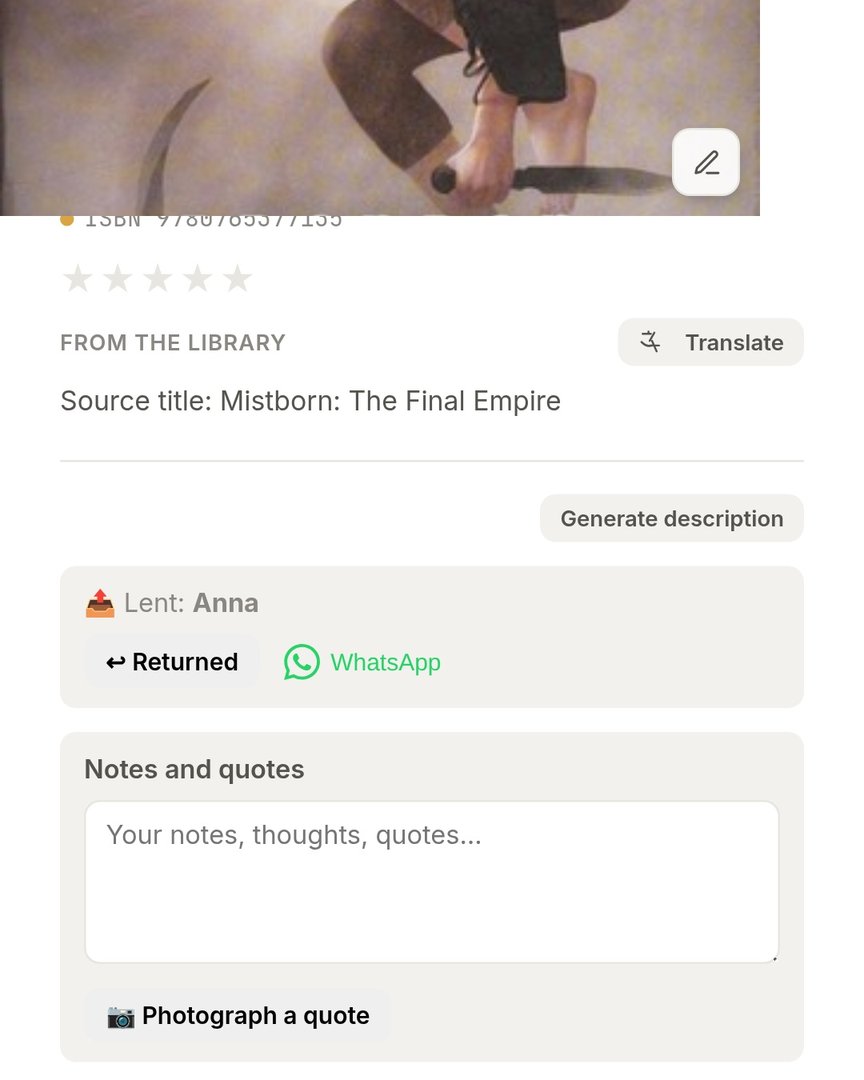
In Libella, lending is one tap on the book:
- Open the book, tap Loaned and type the name. Libella records the date.
- Lent books get a small badge on the shelf, and you can filter the library to show only lent books.
- One tap sends a friendly WhatsApp reminder with the book's title.
- When the book is back, tap Returned.
Your loans are private: nobody else sees who borrowed what. Libella runs in the browser on your phone and computer; the first 100 books are free, forever.
The one-line version
Write down who and when, every time, in the same place you look when a book is missing. The rest is a friendly message.