Your whole library, in your pocket.
Photograph, type or scan. Libella handles the rest — covers, descriptions and order.
Photograph a whole shelf.
Point your camera at a shelf and Libella recognizes every book at once — even those without a barcode.
Even books without a barcode.
No ISBN? No problem. Snap a photo or type the title and Libella still finds the cover and details — books other apps just give up on.
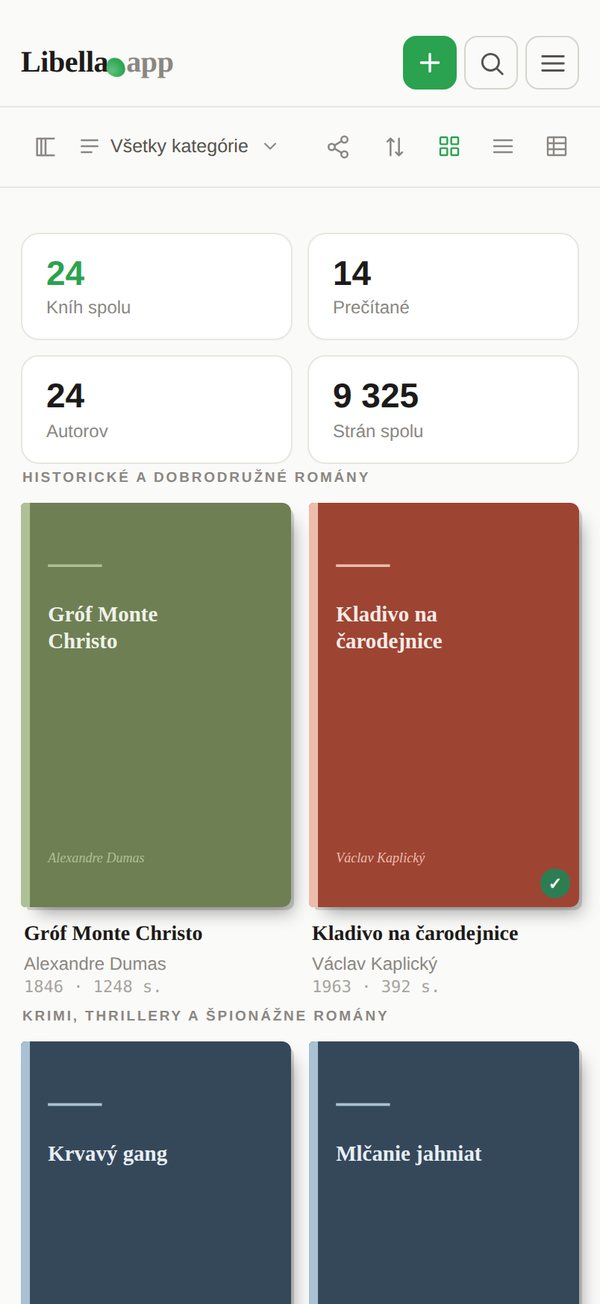
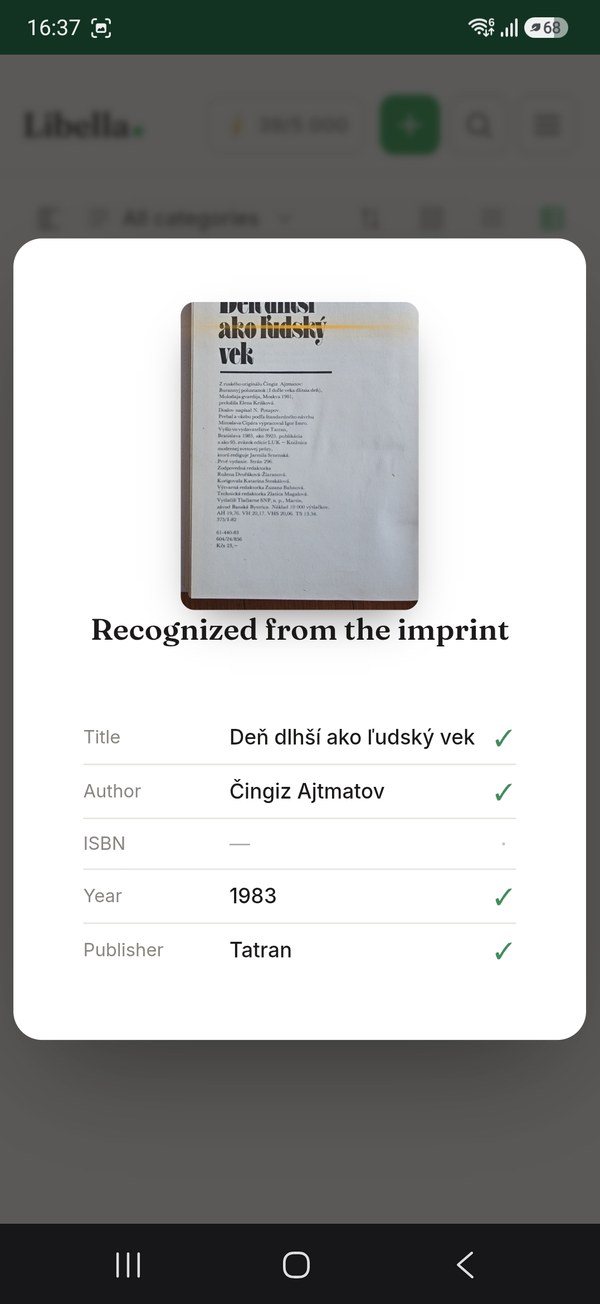
Finds covers and blurbs.
For each book it automatically fetches the cover, description, year and page count. If a description is missing, AI writes one.
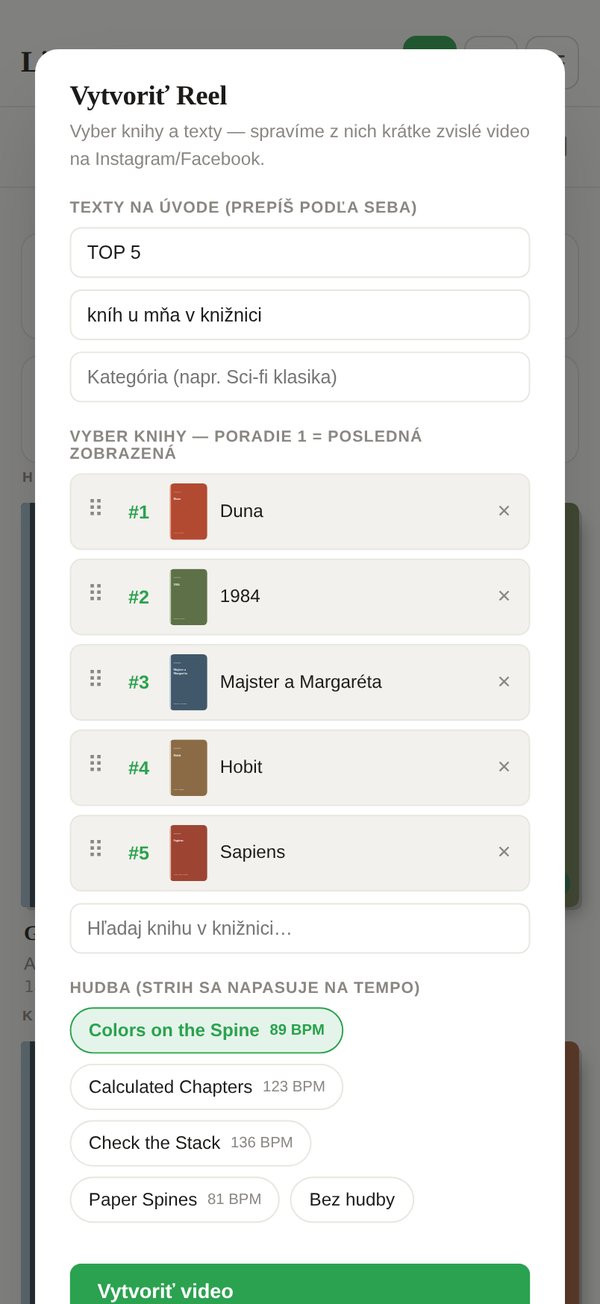
Your shelf as a Reel.
A Top 5 countdown or a fly-through of the whole shelf — a short vertical video with stats at the end, ready for Instagram or TikTok.
Photograph a whole shelf.
Libella recognizes every book in the photo at once.
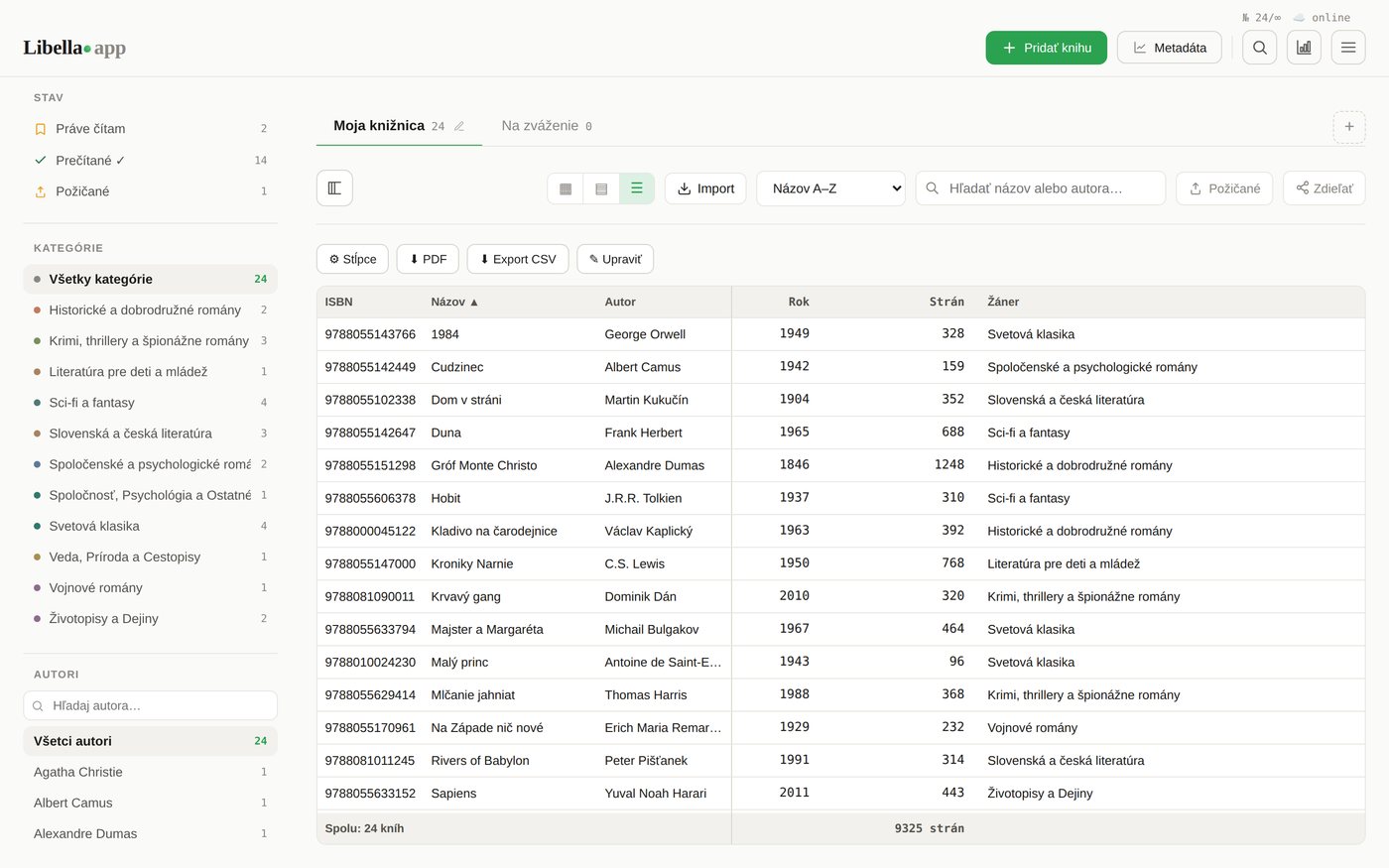
Big collection? You've got the tools.
On a computer Libella unfolds fully — a clear cover grid, a spreadsheet for bulk edits and a dark mode for evening browsing.
More than a catalog — your reading companion.
From scanning a shelf through a reading journal to bulk edits and your own AI key. All in one place.
Reading status & rating
Mark what you've read, what you're reading and what's still waiting. Add star ratings and keep track of your reading journey.
Notes & quotes
Jot down thoughts about a book, or just photograph a favorite quote — Libella reads it from the photo and saves it to the right book.
Lending tracker
Lent a book to a friend? Note who and when — and never again forget where your favorite book ended up.
A shelf to think it over
Standing in a bookshop or second-hand store? Photograph the shelf, park the books on a temporary shelf and decide later at home. Kept separate from your collection.
Shelves & categories
Organize books into your own shelves and categories — by genre, room, mood, however you like. Custom categories too.
Dark mode
Comfortable reading in the evening too. Libella switches to dark mode and goes easy on your eyes.
Edit via spreadsheets
Edit your whole library like in Excel — select cells, fill a column at once, fix dozens of books in seconds.
Your own AI key (BYOK)
Add your Gemini key and AI features run without our limit — you pay Google directly, as much as you want.
bring your own keyImport, backup and export
Bring what you already have — import your library from CSV or JSON. And download the whole collection back anytime (JSON with covers, or CSV for Goodreads). Your data stays yours.
Share your library
One public link to your whole collection, or a separate link for each shelf. Show what you've got.
Collection overview
How many books, which genres dominate, how your library grows — all in clear statistics.
Start for free
Your first 100 books are free — try everything with no commitment. Unlock an unlimited library forever with a one-time Lifetime purchase.
Start free. Pay when it makes sense.
No trial that runs out. Your first hundred books are free forever.
- ISBN scanning — one book or several in a row
- Lookup in library catalogues, including books with no ISBN
- Manual adding and import from Goodreads, CSV or JSON
- Save your list as a PDF
- Reading status, ratings and lending
- Share your library with a public link
- Reels — a video of your shelf
- 100 AI credits to try things out — spend them on whatever you like (a shelf scan costs 80, an imprint scan 8, an ISBN from a photo 5)
- Up to 100 books
- Everything in Free, plus:
- Unlimited books
- Custom shelves
- A working shelf to think it over
- Notes and quotes — photograph a page and keep it
- Library statistics
- Export your library to JSON and CSV
- No recurring fee
- With your own Gemini key (BYOK) also: shelf scan, colophon scan, ISBN from photo, description generation, description translation, cover lookup, quote scan
- Everything in Free, plus:
- Unlimited books
- 5,000 AI credits a month
- Custom shelves
- A working shelf to think it over
- Notes and quotes — photograph a page and keep it
- Library statistics
- Export your library to JSON and CSV
- Cancel anytime
You only pay once your collection outgrows a hundred books. Until then, nothing pushes you.
Still hesitating?
Up to a hundred books free, forever — no trial that expires. Past a hundred you choose: €2.99 a month, or €29 once and for good. The monthly plan includes 5,000 AI credits per month. On the lifetime plan you run AI through your own Gemini key — you pay Google directly and we set no ceiling.
Five ways. Scan the ISBN barcode — one book or several in a row. Photograph a whole shelf and Libella reads the spines. For old books with no ISBN, photograph the imprint page. Type a book in by hand. And if your list already lives somewhere else, import it from CSV, JSON or Goodreads. Each book then gets its cover, author, year and description filled in.
From the spine it reads the title and author, often the publisher and language too, then looks the book up in the catalogues. It isn't infallible — a badly lit, worn or ornately typeset spine reads worse, and it flags such books as uncertain itself. That's why the result never lands straight in your library (see the next question). Even lighting and a straight-on shot help most.
No, and that's deliberate. They land in a working shelf where you go through them, fix what needs fixing and move the ones you tick into the library. Whatever you don't want, you delete in bulk. While they sit there they don't count towards your collection or your statistics — so a shelf scan won't spoil your numbers even if you only run it to try it out.
Yes — it's one of the main strengths. Only books from the last few decades carry a barcode; older editions, second-hand copies and books you inherited have none at all. Libella looks them up in national library catalogues, which hold titles global apps have never heard of. Just photograph the spine or the imprint page, or type the title in by hand.
So your collection isn't one big pile. Children's books, the cottage, comics, books you inherited — each shelf has its own tabs, filtering and statistics, and can be shared on its own. You can move books between shelves in bulk, several at a time.
Yes, with a public link — either the whole library or a single shelf. Whoever gets it sees the list and can't change a thing, and doesn't need to sign up to look. Sharing stays off until you turn it on, and the working shelf can't be shared at all.
No. Free comes with 100 AI credits to try things out — once, they don't renew, and you spend them on whatever you like. A shelf scan costs 80 credits, an imprint scan 8, an ISBN from a photo 5, a blurb or a translation one each. The monthly plan gives you 5,000 credits every month. Your own Gemini key belongs to the lifetime plan: there you pay Google directly and we set no ceiling — without a key, AI features won't run on it.
Your library is tied to your account and synced across devices. You can save the list as a PDF at any time — that's free on every plan. A full backup as JSON (covers included) or CSV for Goodreads and LibraryThing comes with the paid plans. Importing from CSV, JSON or Goodreads is free. You're never locked in — your data stays yours.
Not until you turn sharing on yourself. Your ratings, notes, who you lent a book to and the list itself are private. When a book turns up that our catalogue doesn't know yet, its bibliographic record is saved there — title, author, ISBN, publisher, year, description. Facts about the book, not about you, and the same ones public library catalogues carry.
They stay. Nothing is deleted. You keep seeing them, you can save them to PDF and you can delete them. Shelves that are part of Premium stay open as long as they hold books, so you can look through them and move them to your main library. The only thing that changes is that past a hundred books you can't add more.
Partly. The app opens without a connection and shows your library the way you last saw it. Adding books and filling in their details needs the network, though — the catalogues and the photo recognition run on the server.
Because it searches where the others don't — national library catalogues, including older editions without an ISBN and second-hand copies. It isn't a social network, it doesn't follow anyone and it doesn't recommend anything to you. And unlike a spreadsheet, you photograph a shelf instead of retyping hundreds of rows by hand.
Find out how many books you really have.
Start free — add your first book in seconds.
Count my books →