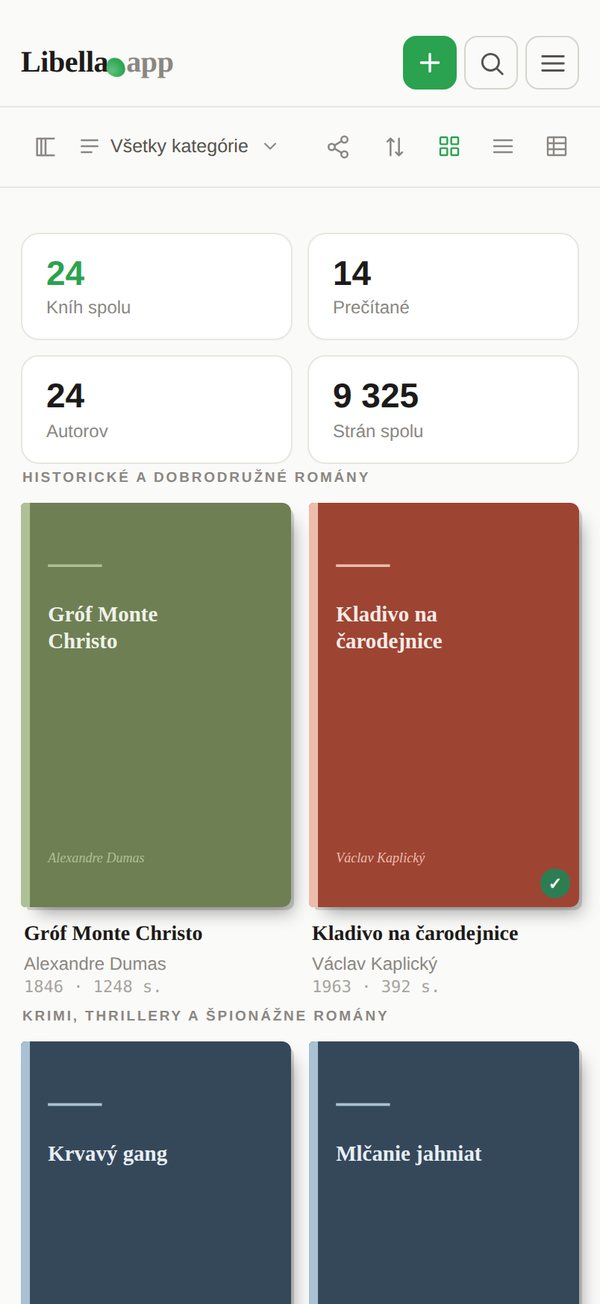
A catalogue of your books sounds like a weekend project for librarians. In practice it pays off quickly: you stop buying books you already own, you know who borrowed what, and when you move, insure your home or pass the collection on, you have a list instead of a guess.
The reason most home catalogues stall is not motivation. It is method. Typing titles into a spreadsheet is slow, and scanning barcodes one by one still means taking every book off the shelf. This guide covers what is worth recording, the three realistic ways to do it, and a routine that keeps the catalogue current.
1. Decide what you actually want to record
Before you touch a single book, decide which fields matter to you. More fields means more work per book, so keep it lean. For most home libraries this is enough:
- Title and author, the non-negotiables.
- Edition details: publisher and year. These matter for older and collectible books.
- ISBN, if the book has one. It is the fastest way to identify an exact edition.
- Location: which room or shelf. Surprisingly useful once you pass a few hundred books.
- Status: read, reading, want to read, or lent to…
Cover images and descriptions are nice to have. If your tool fills them in automatically, keep them; if you have to add them by hand, skip them.
2. Pick your method
| Method | Speed | Good for | Watch out for |
|---|---|---|---|
| Spreadsheet | Slow (1 to 2 min per book) | Small collections, total control | Typos, no covers, hard to use on a phone |
| Barcode scanning app | Fast for modern books | Books printed after the 1970s | Older books have no barcode; foreign editions are often missing from the database |
| Photo recognition | Fastest (a whole shelf per photo) | Large collections | Worth checking the results for books with worn or unreadable spines |
In practice you will combine them: photograph whole shelves where the spines are readable, scan barcodes for the rest, and type in the few books nothing else can identify.
3. Work shelf by shelf, not book by book
The single most effective habit is to treat a shelf as the unit of work. Finish one shelf, then stop if you want to. A half-catalogued library is still useful; a half-catalogued book pile on the floor is not.
- Start with the shelf you use most. You will see the benefit immediately.
- Photograph the whole shelf in good light, straight on, so the spines are readable.
- Check the result against the shelf and fix anything that was missed.
- Scan the barcodes of books that were not recognised.
- Add the stragglers by hand, or photograph their copyright page.
4. How Libella does it
Libella is a web app built for exactly this job. You can add books in three ways:
- Scan the ISBN with your phone's camera, one book or several in a row.
- Photograph a whole shelf: Libella's AI reads the spines and adds every book it recognises.
- Photograph the copyright page of books without an ISBN.
It then fills in the title, author, cover, publisher, year and page count from national library catalogues across Europe and the US, including the Library of Congress, the Deutsche Nationalbibliothek, the BnF and the Biblioteca Nacional de España, plus Open Library and Google Books. That matters more than it sounds: commercial book databases are thin on older and non-English editions, while national libraries have catalogued almost everything published in their country.
It also warns you when you add a book you already have, lets you mark books as lent (and to whom), and lets you save the whole catalogue as a PDF or share it with a link.
5. Keep it up to date without thinking about it
A catalogue is only useful if it stays current. Two small habits are enough:
- Add books the day they arrive, before they go on the shelf. With a phone scanner it takes five seconds.
- Check the catalogue before you buy. This is where the time you invested pays back: no more duplicate copies.
Once a year, pick a shelf at random and compare it with the catalogue. If it matches, you are done.
Frequently asked questions
How long does it take to catalogue 500 books?
By typing: two or three full days. By scanning barcodes: an afternoon or two, if most books are modern. With shelf photos: a couple of hours, plus some time checking the results.
What about books with no ISBN?
Books printed before the mid-1970s usually have none. Photograph the copyright page instead, or search by title, author and year. A tool that searches national library catalogues will find far more of them than one that relies on retail databases.
I have inherited a whole library. Where do I start?
Photograph every shelf before anything is moved, then catalogue shelf by shelf. Our guide to what to do with an inherited book collection covers sharing the list with family, spotting valuable books and deciding what to keep.
Is it free?
In Libella the first 100 books are free, forever, and scanning barcodes is always free. AI features such as shelf photos use credits: every new account gets 100 credits to try them, enough for one shelf scan. Larger libraries need a paid plan (2.99 € a month or 29 € once).