Full disclosure: we make Libella. We have used all four apps, checked their prices on their own websites in October 2026, and we point out where another app is the better choice. Prices and limits change, so check before you commit.
The short version
- LibraryThing if you want a large catalogue for free and enjoy a book-lover community.
- Libib if you catalogue books together with films, music and games, or run a small lending library.
- CLZ Books if you are a collector who wants a polished phone app and edition-level detail, and you don't mind a subscription.
- Libella if many of your books are older, European or not in English, if you want AI to do the typing for you, or you want to keep track of books you lend to friends.
At a glance
| LibraryThing | Libib | CLZ Books | Libella | |
|---|---|---|---|---|
| Free plan | Free, no book limit | Up to 5,000 items | 7-day trial | First 100 books free |
| Paid | — | Pro $9/month or $99/year | $1.99/month or $19.99/year | €2.99/month or €29 once |
| Where it runs | Web + iOS/Android apps | Web + iOS/Android apps | iOS/Android apps + web viewer | Web app on phone and computer (add to home screen) |
| Barcode scanning | Yes (app) | Yes (app) | Yes | Yes (phone camera) |
| Where book data comes from | Amazon, Library of Congress and many other libraries | Its own database and ISBN lookups | CLZ Core database | National library catalogues across Europe and the US, Open Library, Google Books |
| AI help | — | — | Reads the ISBN number from the camera (OCR) | Shelf photo → books from spines (early access), copyright-page photo, ISBN from a photo, missing covers and descriptions, genre suggestions, translations, quotes from a page photo |
| Lending to people | Manual (e.g. a “Lent out” collection) | Pro plan (patrons, checkouts) | Loan tracking | Who has it, since when, WhatsApp reminder |
| Other media | Books | Books, films, music, games | Books (separate CLZ apps for other media) | Books |
LibraryThing
The veteran. LibraryThing has been around since 2005 and has been free with no book limit since 2020. Its catalogue data draws on Amazon, the Library of Congress and many other libraries, and its real strength is the community: shared tags, reviews, recommendations, discussion groups and Early Reviewers. The interface feels older and dense, and it rewards people who like to tinker.
Best for: serious readers who want a free, very large catalogue and a social layer around it.
Libib
Libib is clean and fast, and catalogues books alongside films, music and video games. The free Basic plan holds up to 5,000 items, which is plenty for most homes. Lending, patrons and an interactive public library are part of the Pro plan ($9/month or $99/year), which makes Libib a natural fit for classrooms, churches and small community libraries.
Best for: mixed media collections and small libraries that lend to many people.
CLZ Books
CLZ (Collectorz) makes polished collector apps. CLZ Books scans ISBN barcodes, fills details from its own CLZ Core database and syncs to the cloud. It costs $1.99 a month or $19.99 a year after a 7-day trial. It is aimed at collectors who care about editions, condition and value, and it shines on the phone.
Best for: collectors who want a dedicated, polished mobile app and are happy to subscribe.
Libella
Libella is the newest of the four, and it was built in Central Europe for a specific problem: home libraries full of older and local editions that global databases do not know. Instead of relying on one commercial database, it looks books up in national library catalogues across Europe and the US, from the Library of Congress to the Deutsche Nationalbibliothek, the BnF and the Biblioteca Nacional de España, plus Open Library and Google Books. For a book from 1965 or a regional publisher, that is often the difference between a full record and a blank.
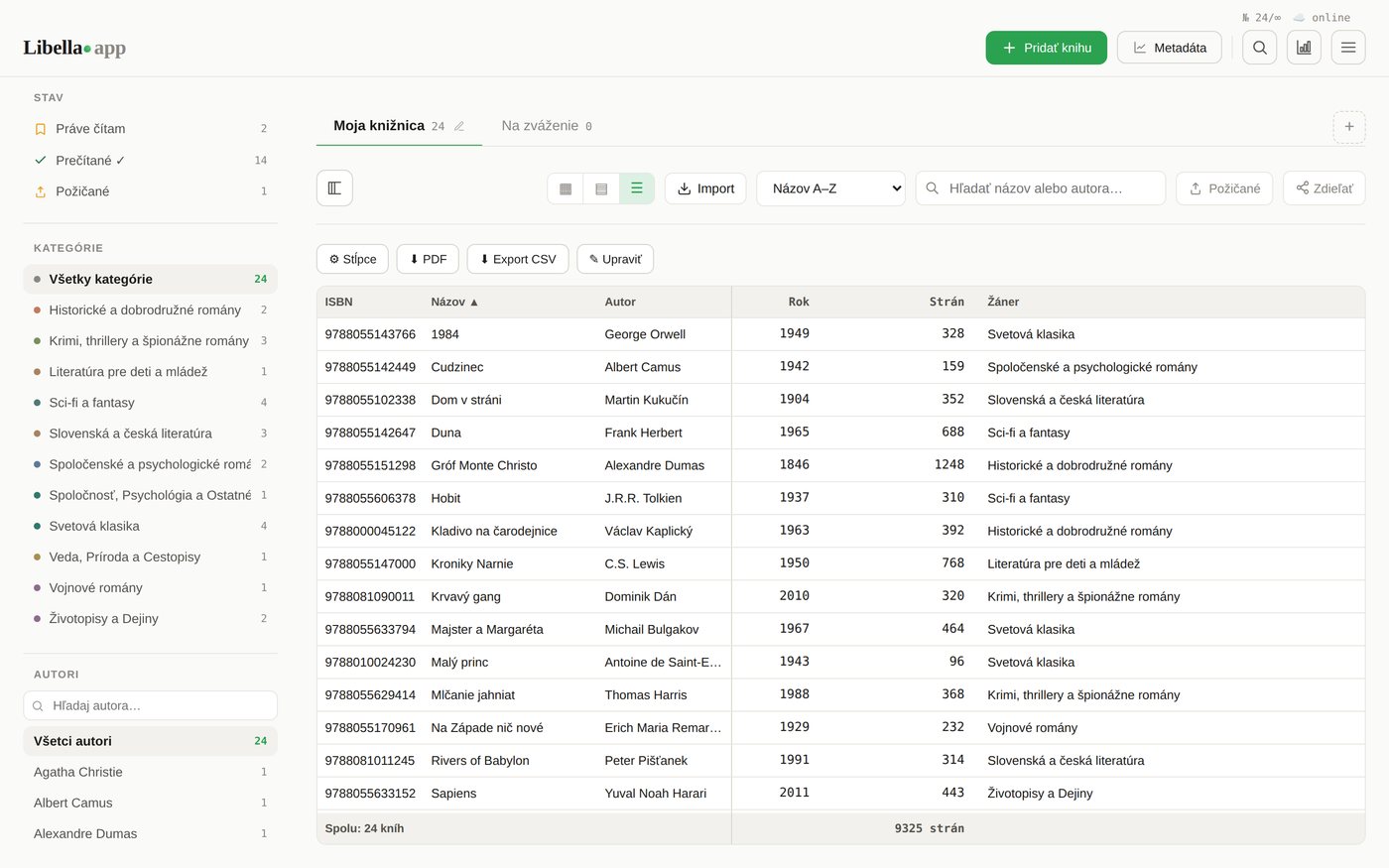
It runs in the browser on phone and computer, so there is nothing to install, and the interface is in English, German, Spanish, Czech and Slovak. You can scan barcodes, search by title, import from Goodreads or CSV, sort books into your own shelves, see them as covers, as spines on a shelf or as a table, mark books as lent with a friendly WhatsApp reminder, and save the catalogue as a PDF or share it with a link.
AI that does the typing for you
This is where Libella differs most from the other three. Their AI help, where there is any, stops at reading an ISBN. Libella uses AI for the slow parts of cataloguing:
- Photograph a whole shelf and it recognises the books from their spines (early access: coming soon in full, and you can already try it).
- Photograph the copyright page of an old book and it identifies the exact edition, publisher and year, then looks it up in library catalogues.
- Photograph a barcode or ISBN that the scanner can't read.
- Fill the gaps: find a missing cover or description on the web, suggest a genre, translate a description into your language, or create a cover for a book that has none.
- Save quotes: photograph a page and keep the passage you liked with the book.
AI features use credits; every new account gets 100 free credits to try them. Everything else, including barcode scanning and library lookups, works without credits.
Honest limits: there is no native app in the app stores yet, the free plan covers 100 books (larger libraries need a paid plan), and there is no community or media beyond books.
Best for: European and multilingual shelves, older books without an ISBN, and anyone who lends books and wants them back.
How to choose
- Try the scan on your oldest book. Pick a book from before 1975 or from a small publisher and see which app finds it. That one test says more than any feature list.
- Count your books. Under 100, three of the four are free (CLZ has a trial). A few hundred to a few thousand: LibraryThing and Libib stay free; CLZ and Libella are paid.
- Decide whether you want a community or a private catalogue. LibraryThing is social by design; the others are private by default.
- Check you can leave. All four let you export your list, so you are never locked in. Export once at the start to see the format.
Frequently asked questions
Which app is completely free?
LibraryThing has no book limit and no fees. Libib is free up to 5,000 items. Libella is free for the first 100 books, and CLZ Books offers a 7-day trial before its subscription.
Which app is best for old books without an ISBN?
Apps that search library catalogues do best, because libraries catalogued those books long before ISBNs existed. LibraryThing and Libella both search library sources; Libella focuses on national libraries across Europe, which helps most with European and non-English editions. See our guide to cataloguing old books without an ISBN.
Which app can catalogue books from a photo of a shelf?
As of October 2026, LibraryThing, Libib and CLZ Books add books by barcode, ISBN or search; CLZ can also read the ISBN digits with the camera. Libella recognises books from a photo of their spines, in early access, so you can try it with the free starter credits.
Can I move my books from one app to another?
Yes. Export a CSV from the old app and import it into the new one; Libella also imports Goodreads exports directly. Our Goodreads vs. home library catalogue guide walks through it.
Is Goodreads a home library app?
Not really. Goodreads tracks what you read and want to read; it is not designed to record which copies and editions you own, where they are or who borrowed them.