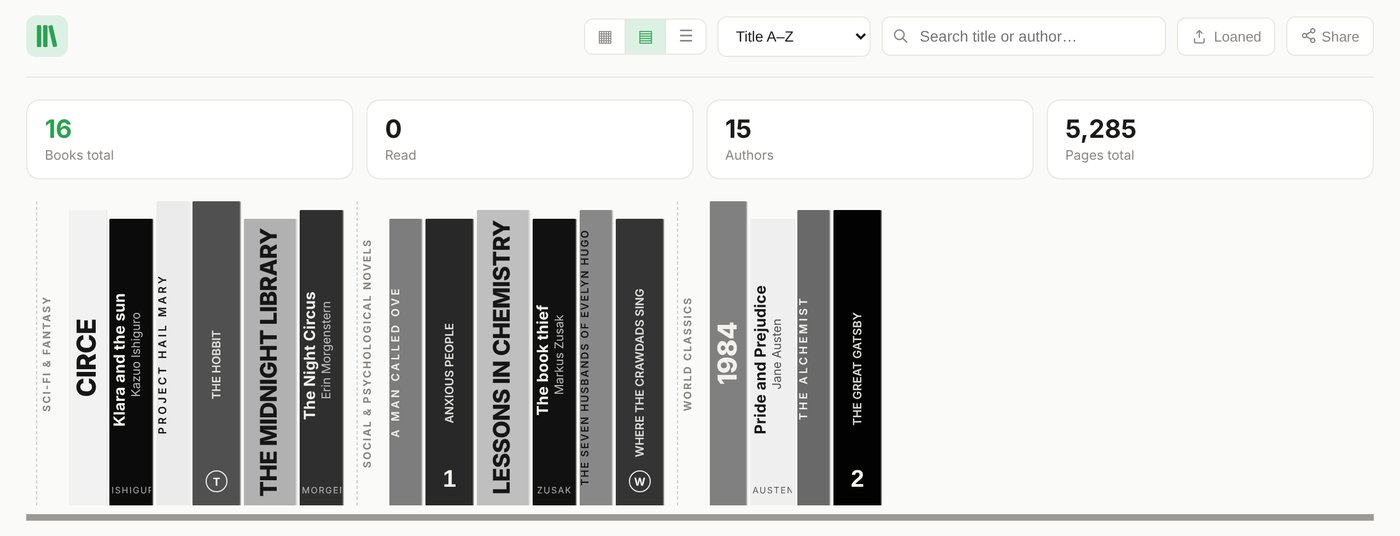
Full disclosure: we make Libella, one of the ten. We checked every app's own website or store listing on 10 November 2026 (sources at the end) and say plainly where another app is the better choice. Prices and limits change, so check before you commit.
First: catalogue or reading tracker?
The apps fall into two groups, and most disappointment comes from picking from the wrong one.
- Reading trackers (Goodreads, The StoryGraph, Book Nook) record what you read, want to read and thought of it. Great for reading goals and friends; not built to record which copies you own, which edition, or who borrowed them.
- Catalogues (LibraryThing, Libib, CLZ Books, BookBuddy, Bookshelf, Handy Library, Libella) record the books on your shelves: edition, publisher, year, shelf, loans.
If you want to know what you own, start with the second group.
The short version
- Free and no book limit: LibraryThing (catalogue), Book Nook (reading tracker with shelves).
- Books plus films, music and games: Libib.
- Polished phone app for collectors: CLZ Books (subscription) or BookBuddy (Apple only, one-time).
- Photograph your shelves instead of scanning each barcode: Handy Library (Android) or Libella (browser, phone and computer).
- Older, European or non-English books, and books without an ISBN: Libella.
- Tracking your reading, not your shelves: The StoryGraph or Goodreads.
At a glance
The first seven are catalogues, the last three reading trackers.
| App | Runs on | Free | Paid | Shelf photo |
|---|---|---|---|---|
| LibraryThing | Web, iOS, Android | No book limit | — | No |
| Libib | Web, iOS, Android | Up to 5,000 items | Pro $9/month or $99/year | No |
| CLZ Books | iOS, Android (web version sold separately) | 7-day trial | App about $20/year; web version about $40/year | No |
| BookBuddy | iPhone, iPad, Mac | 50 books | Pro, one-time (price varies by country) | No |
| Bookshelf | iOS, Mac, Android | Basic version | Pro $2.99/month, $19.99/year or lifetime | No |
| Handy Library | Android, offline | Basic version | One-time premium (price not published) | Yes |
| Libella | Browser on phone and computer | 100 books | €29 once, or €2.99/month billed yearly | Yes |
| Book Nook | Web, iOS, Android | Everything | — | No |
| The StoryGraph | Web, iOS, Android | Yes | Plus $4.99/month or $49.99/year | No |
| Goodreads | Web, iOS, Android | Yes (with ads) | — | No |
The catalogues
LibraryThing
The veteran, around since 2005 and free with no book limit. Book data comes from Amazon, the Library of Congress and many other libraries, and the community (tags, groups, recommendations) is a real strength. The interface is dense and older, and it rewards people who like to tinker.
Best for: a large free catalogue with a book-lover community around it.
Libib
Clean and fast, and the only one here that catalogues films, music and games alongside books. The free plan holds 5,000 items; lending, patrons and a public catalogue are in Pro ($9/month or $99/year).
Best for: mixed media collections, classrooms and small lending libraries.
CLZ Books
A polished collector app from Collectorz: barcode scanning, edition details, condition and value, cloud sync. About $20 a year (or a monthly plan) for the app after a 7-day trial; CLZ Books Web is a separate product at about $40 a year. App-store prices differ slightly by country.
Best for: collectors who live on their phone and don't mind a subscription.
BookBuddy
A tidy Apple-only app with barcode scanning (also with a Bluetooth scanner), loans and good export (CSV, PDF, HTML). Free for 50 books; Pro is a one-time in-app purchase (the price varies by country).
Best for: iPhone and Mac users with a mostly English, ISBN-era collection.
Bookshelf
A popular phone app with bulk barcode scanning, lending and a wishlist with price alerts, available in many languages. The basic app is free; Pro is a subscription ($2.99 a month or $19.99 a year in the US App Store) or a lifetime purchase.
Best for: phone-first users who want a familiar app-store app.
Handy Library
An offline Android app that adds books by barcode, cover or a photo of a shelf, and organises them by rooms and shelves. Premium is a one-time purchase. Data stays on the device, which is private, but means no computer access and no sync unless you back up yourself.
Best for: Android users who want shelf scanning and a one-time price, and only use the phone.
Libella
Libella is deliberately a catalogue, not a reading tracker or social network: simple to use, and powerful where cataloguing is hard. It was built in Europe for home libraries full of older and local editions that global databases miss. Books are looked up in 24 national, university and union library catalogues across Europe and the US, from the Library of Congress and the Deutsche Nationalbibliothek to the BnF and Italy's OPAC SBN, plus Open Library and Google Books. Add books by barcode, by photographing your shelves (AI reads the spines; a shelf photographed in parts of 5 to 6 books gives the best accuracy), or, for books without an ISBN, by photographing the copyright page.
It runs in the browser on phone and computer with one account, so you can scan on the phone and edit on the computer in a spreadsheet-style table. Shelves, lending with a WhatsApp reminder, wishlist, Goodreads and CSV import, PDF catalogue and a public link. Six interface languages, no ads, no trackers.
Price: the first 100 books are free, with one trial shelf scan (up to 6 photos) and 100 AI credits for other AI features. Above that, a one-time €29 Lifetime licence with 3,000 AI credits included, or Libella AI at €2.99 a month billed yearly with 5,000 credits a month. You do not need your own AI key; it is only an option for Lifetime users who want one.
Honest limits: no app-store app yet and no condition or purchase-price fields. No reading challenges or social feed either; that is by design, so pair it with Goodreads or The StoryGraph if you want those.
Best for: older, European and multilingual books, books without an ISBN, and people who want to work on a computer as well as a phone.
The reading trackers
Book Nook
Free on the web, iPhone and Android, with no paid tier and no ads. Shelves, barcode scanning (also with a computer's webcam on the web), reading timer, statistics, book clubs, and import from Goodreads, StoryGraph and Fable. It is a reading app first; it does not scan shelves from photos or look up older editions in library catalogues.
The StoryGraph
Reading stats, mood-based recommendations and challenges. Free, with Plus at $4.99 a month or $49.99 a year.
Goodreads
Owned by Amazon, free with ads, the biggest community for ratings and reviews. Its shelves are reading lists, not an inventory of copies you own. Many people keep Goodreads for reading and a catalogue for their shelves; see Goodreads vs. a home library catalogue.
How to choose in ten minutes
- Test your five oldest books. Pick books from before 1975 or from small publishers and see which app finds the right edition. That test says more than any feature table.
- Decide where you will work. Phone only? Any app-store app is fine. Want a big screen for tidying hundreds of records? Choose an app with a real web version.
- Count your books. Under 100, most apps are free. For 500 to 3,000 books, check the free limit and whether paid means a subscription or one payment.
- Check you can leave. Export once at the start and look at the file.
Frequently asked questions
Which home library app works on a computer?
LibraryThing, Libib and Libella work fully in a web browser; Book Nook, The StoryGraph and Goodreads have web versions too. CLZ Books has a separate web version, BookBuddy runs on a Mac, and Handy Library is phone-only.
Can I scan barcodes with my laptop's webcam?
Book Nook documents webcam scanning on the web. Laptop webcams are fixed-focus and often struggle with small barcodes, so the most reliable setup is to scan with your phone and work on the computer with the same account, which LibraryThing, Libib and Libella all support. You can always type or paste the ISBN instead.
Which apps can catalogue books from a photo of the shelf?
Handy Library (Android) and Libella (any browser) recognise books from a photo of their spines. One photo covers one shelf at most, and photographing a shelf in parts of 5 to 6 books is more accurate. Either way, check the result: reading spines from a photo is never 100 per cent.
Do I need my own AI key for Libella?
No. The free plan includes one trial shelf scan and 100 AI credits for other AI features; Lifetime includes 3,000 credits and Libella AI 5,000 a month. Lifetime users can optionally add their own Gemini key.
Which app is best for old books without an ISBN?
Apps that search library catalogues, because libraries catalogued those books long before ISBNs existed. LibraryThing searches many libraries; Libella reads the copyright page from a photo and searches national libraries across Europe and the US. See how to catalogue old books without an ISBN.
Which apps are completely free?
LibraryThing and Book Nook have no book limit and no fees; Goodreads and The StoryGraph are free reading trackers. Libib is free up to 5,000 items.
Sources
Prices, limits and platforms as published by each app on 10 November 2026 (US prices where stores differ by country). Prices change, so check the current offer before you buy.
- LibraryThing: librarything.com
- Libib: libib.com/pricing
- CLZ Books: clz.com/books
- BookBuddy: App Store
- Bookshelf: App Store
- Handy Library: Google Play
- Book Nook: trybooknook.com
- The StoryGraph: thestorygraph.com
- Goodreads: goodreads.com
- Libella: libella.app pricing